EA connect · New feature, 0→1
Quick Messages for EA connect
Players have sent over 300 million Quick Messages, across more than 25 million users. I led design for the feature from first interviews to shipped product.
- Product
- EA connect, the cross-platform social layer inside most new EA titles
- Feature
- Quick Messages: one-tap preset messages between players
- Role
- Lead designer. I owned every UX decision, the visual design, interactions and animations
- Type
- New feature, 0→1
Problem
Players had no quick way to reach each other in EA connect.
Connecting meant sending a friend request first, and after that the main option was voice chat.
Interviews showed that voice chat leaves many players out:
- VoIP use depends on comfort and on how well players know each other.
- Women are less likely to use VoIP.
- Coordinating before and after a session matters as much as talking during it.
The design question: how do we give players who rarely communicate a low-effort way to do it?
Solution
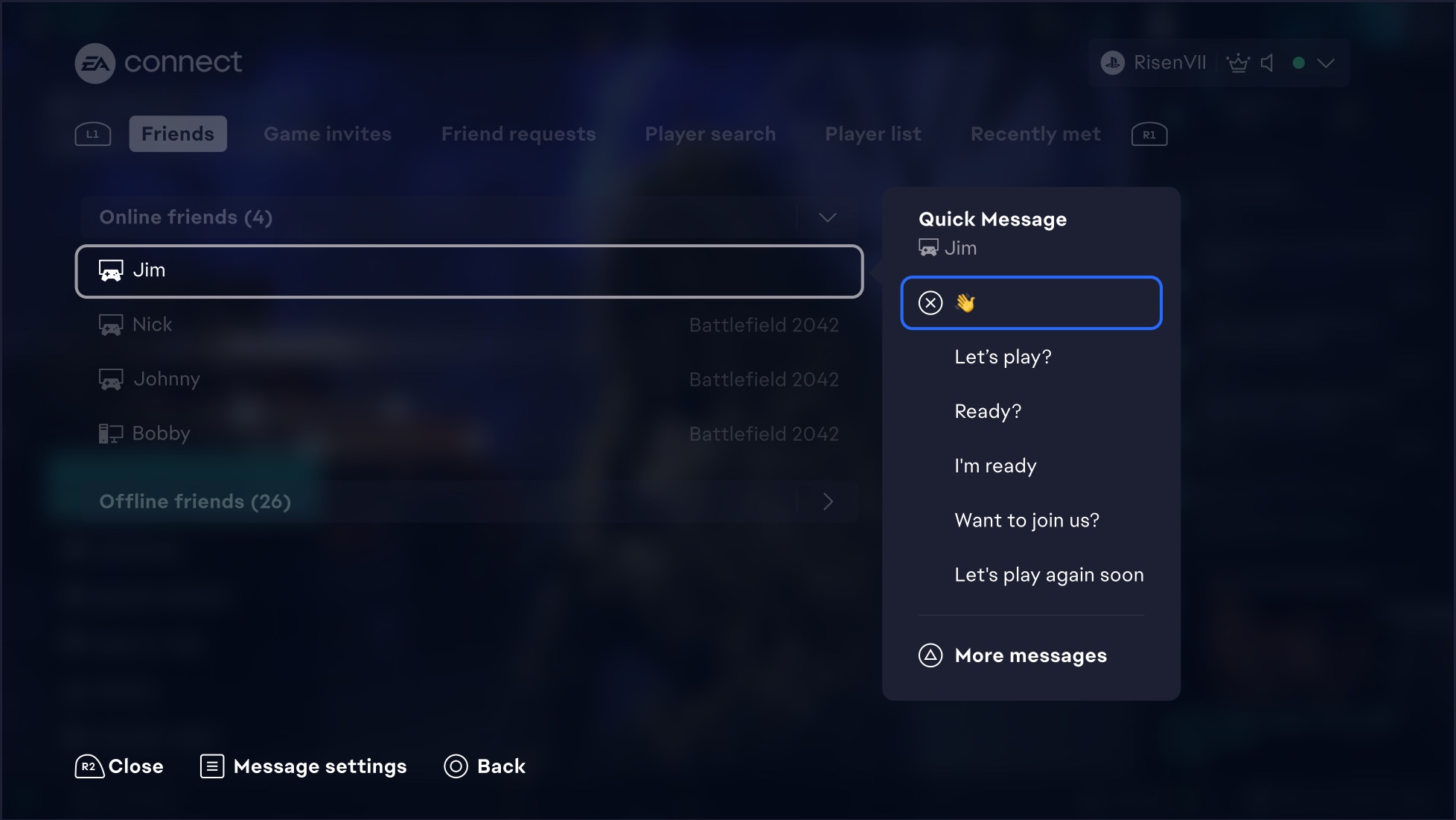
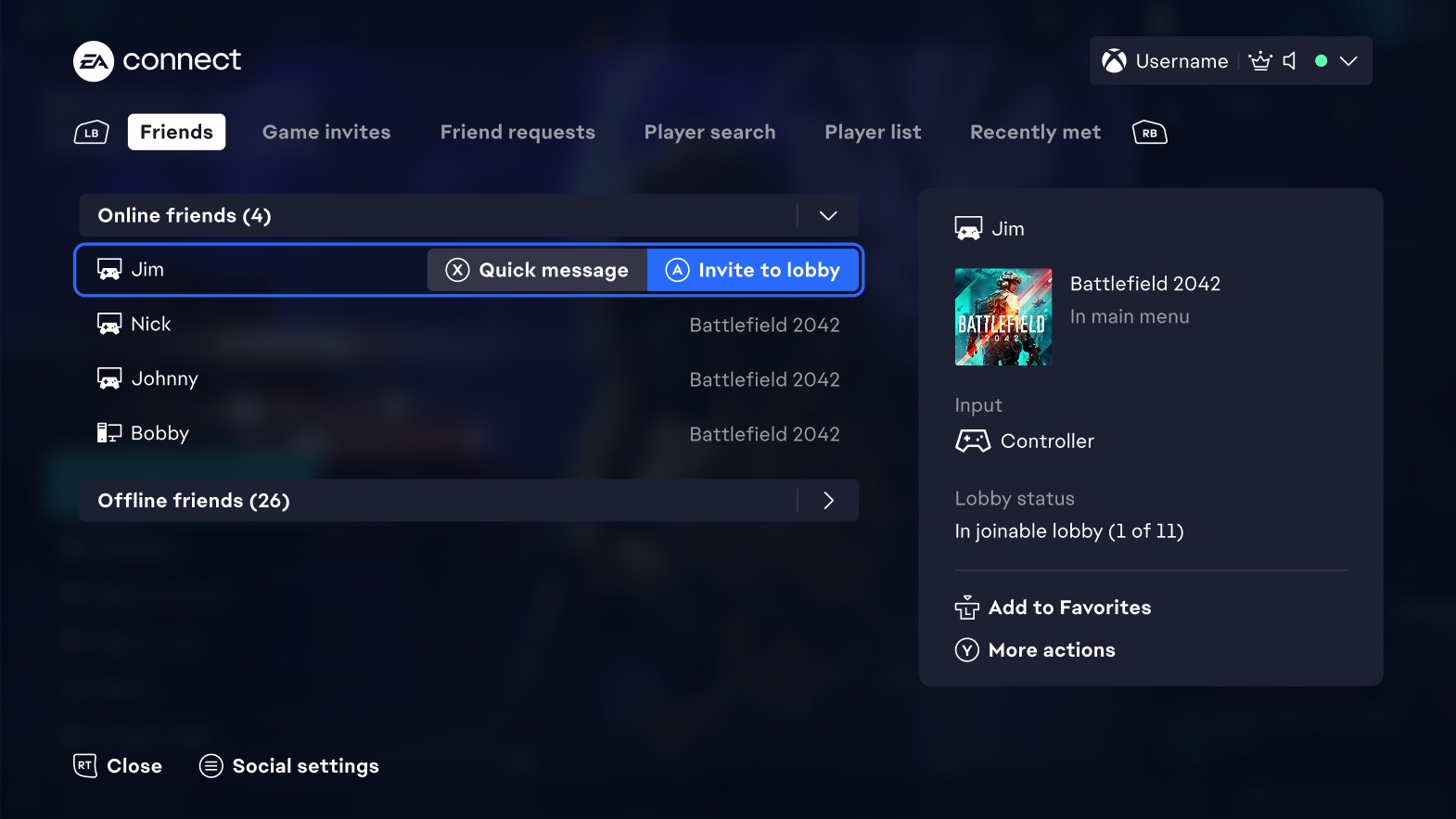
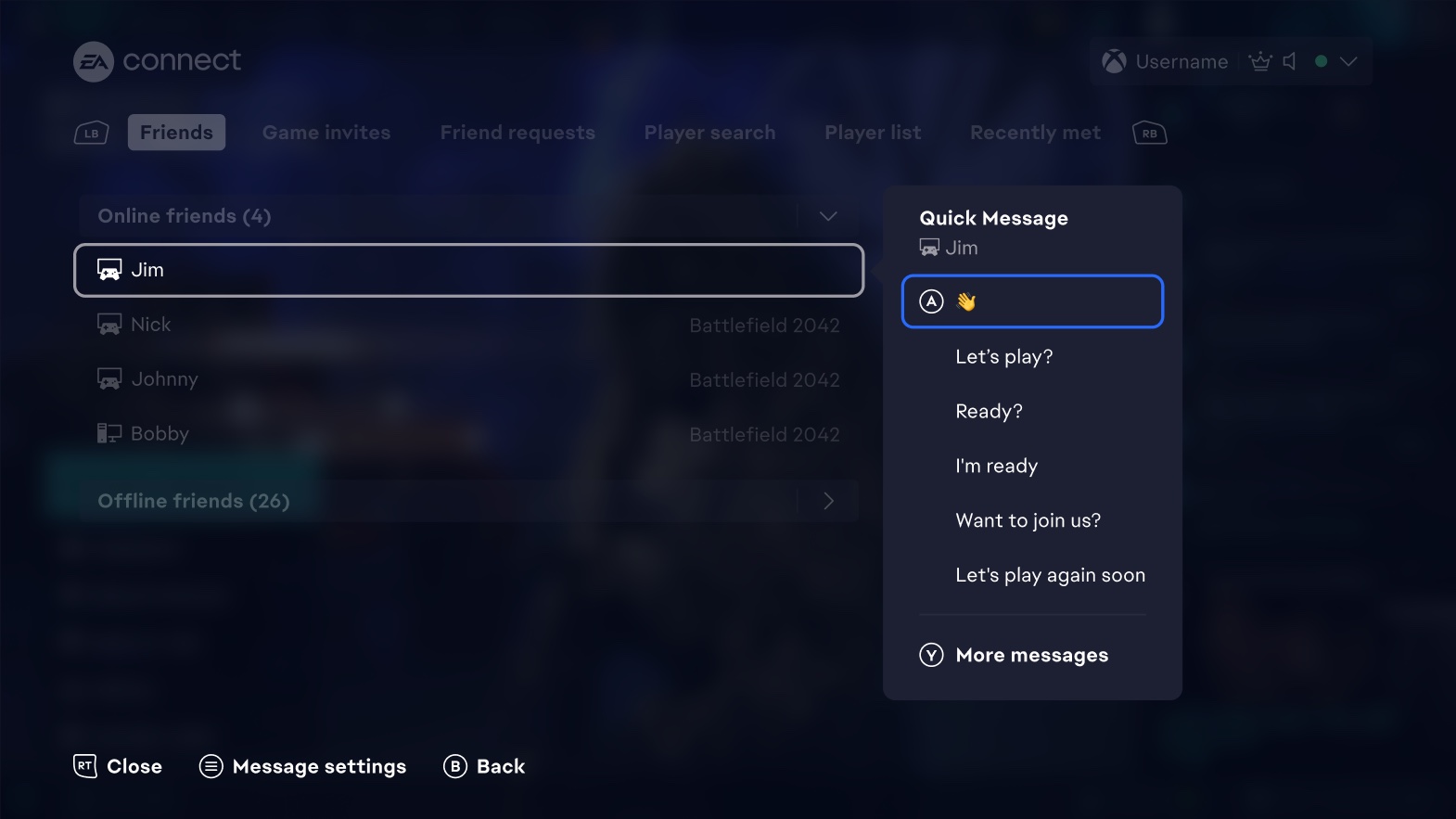
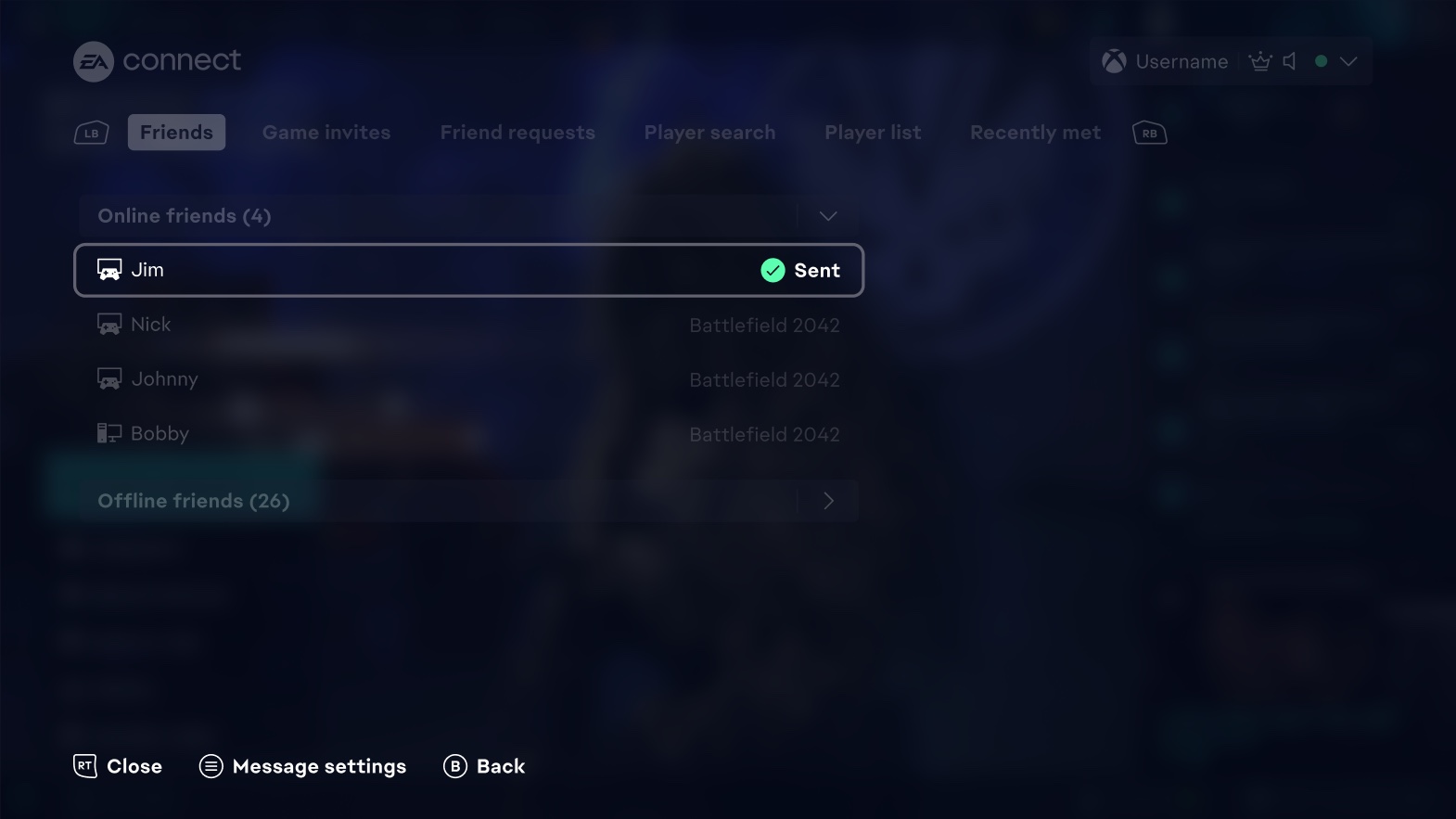
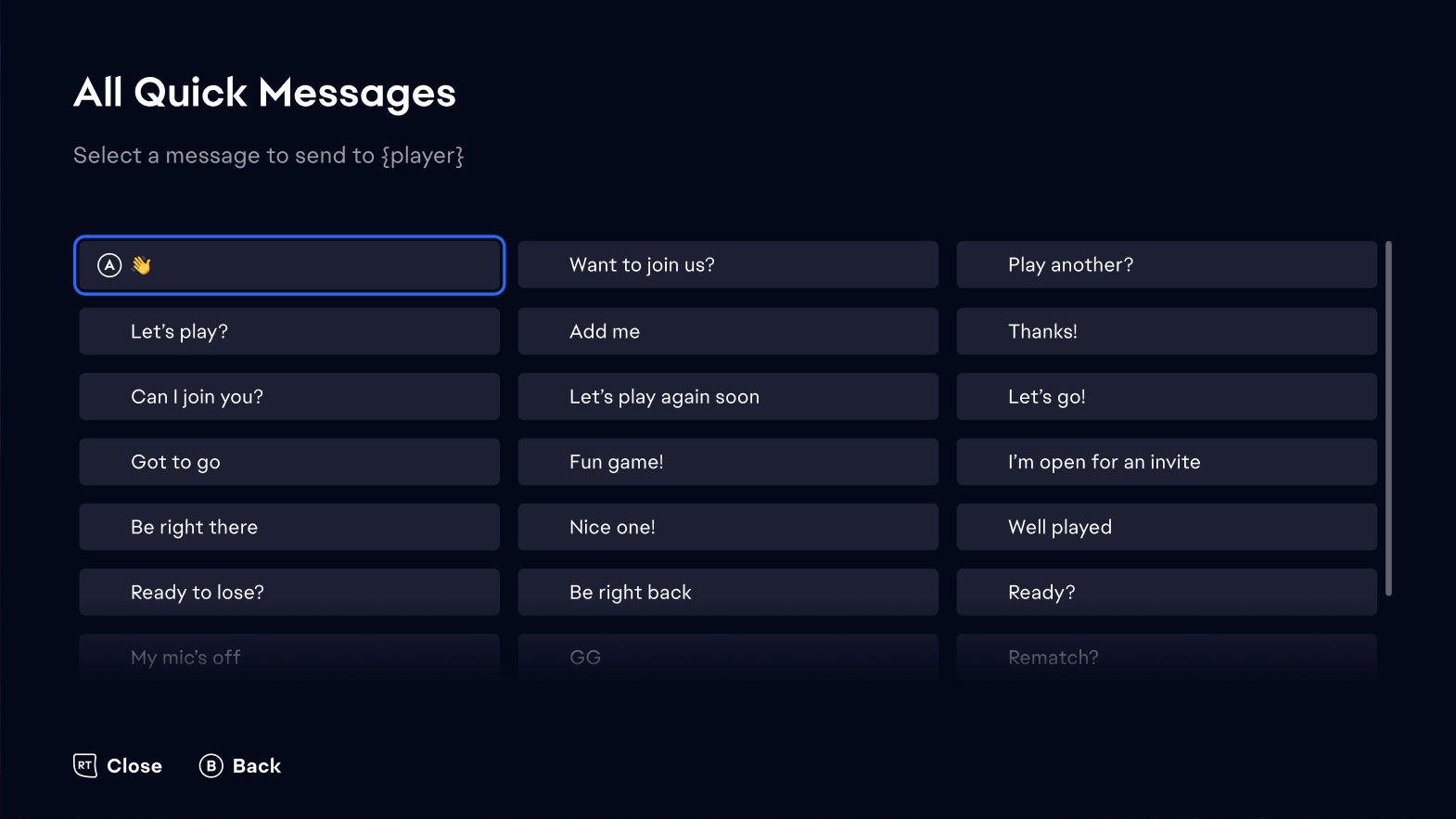
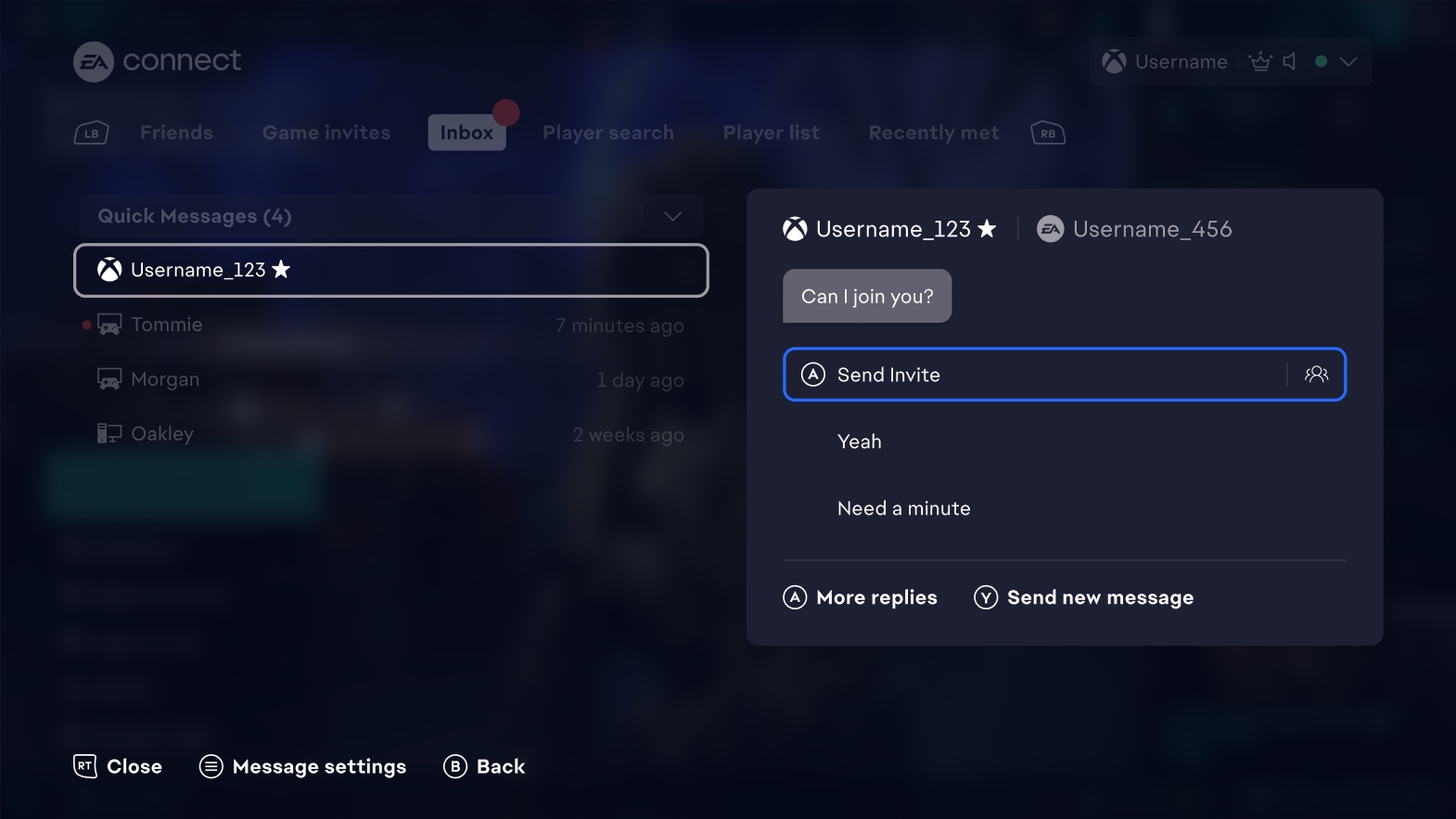
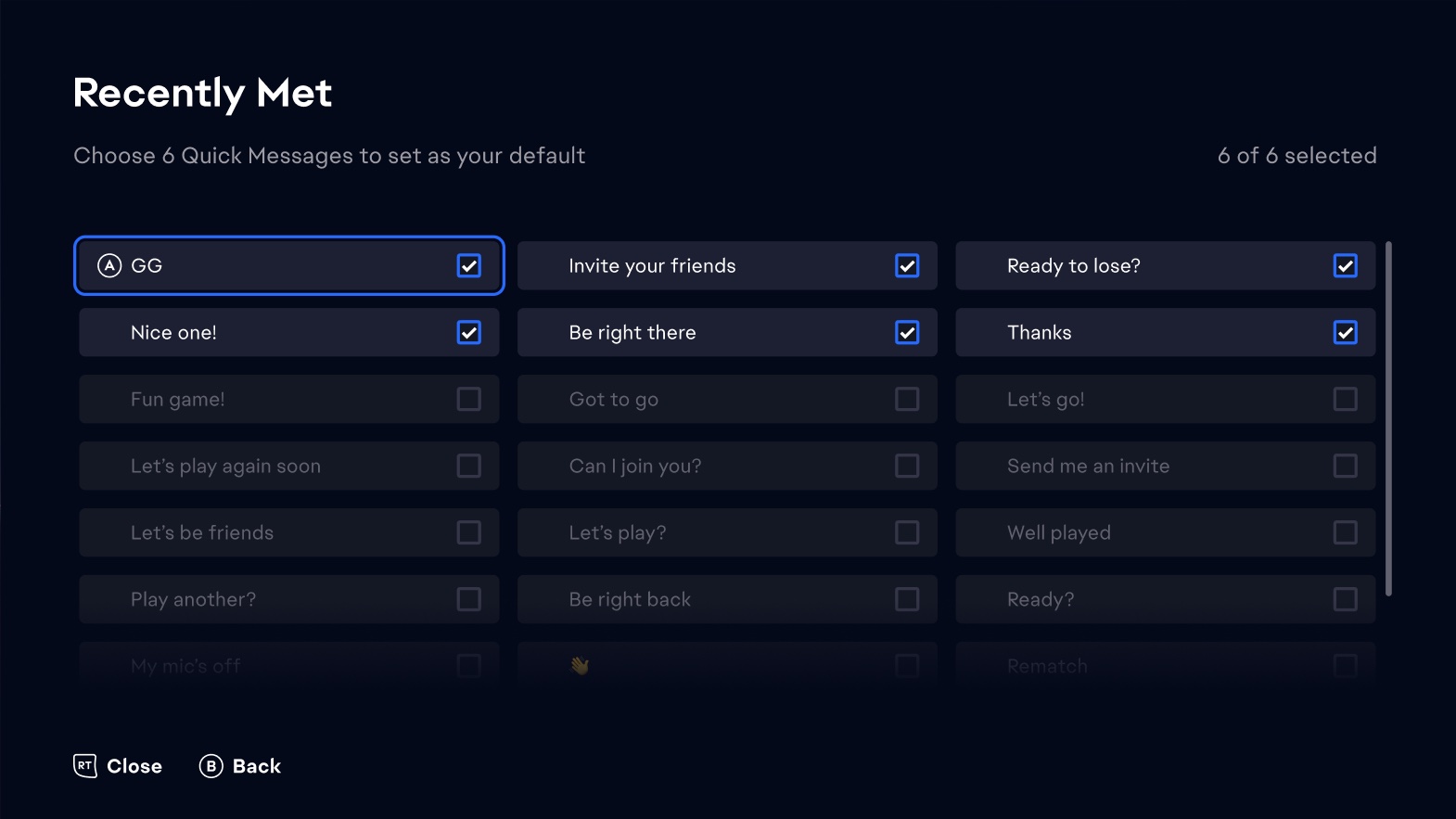
A preset message such as “Let’s play?”, “Ready?” or “Want to join us?” in a couple of button presses.
The recipient sees it as an in-game notification showing which game it came from, and can hold a button to reply, mute the sender or dismiss it.
Sending
Receiving
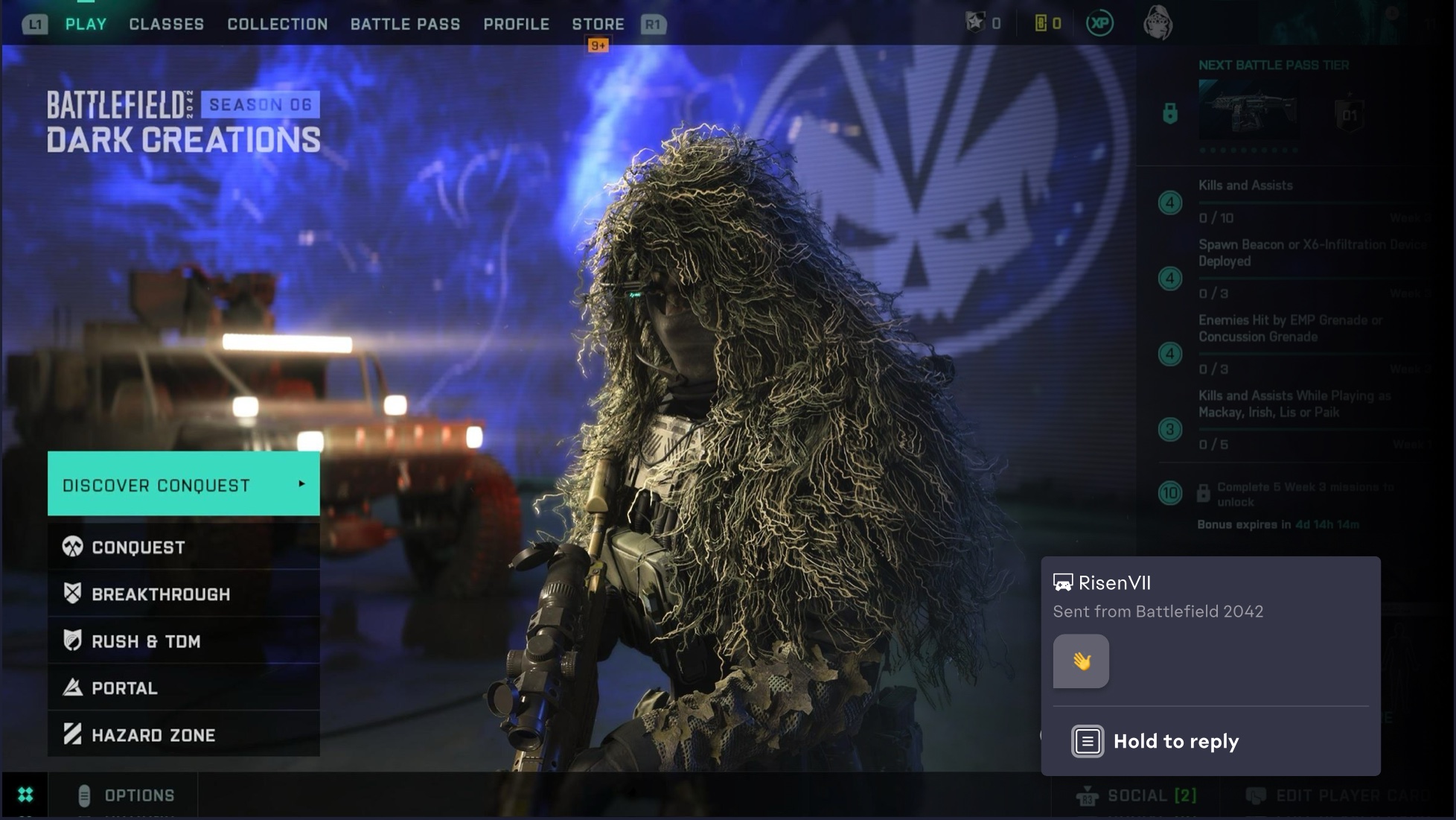
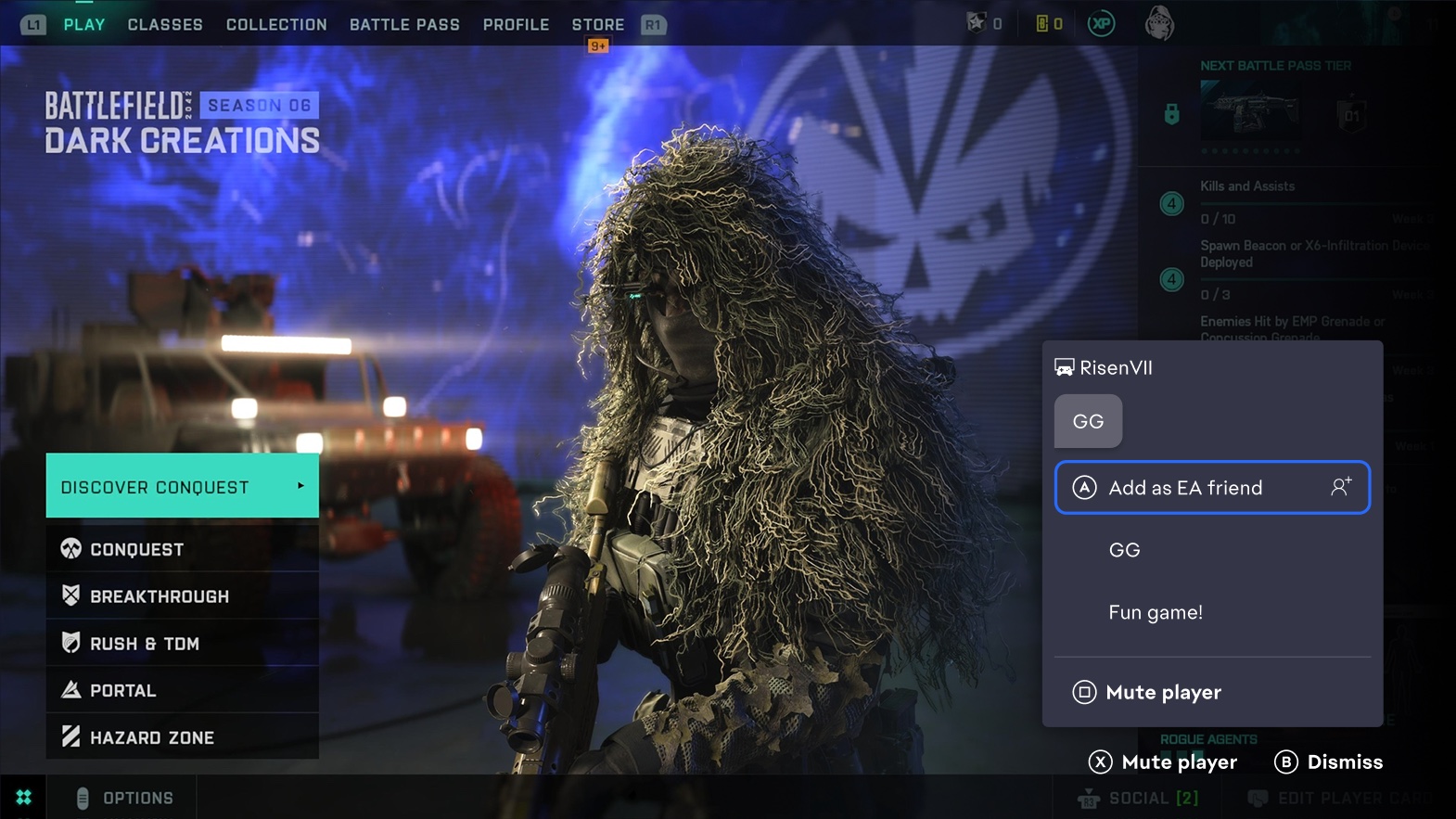
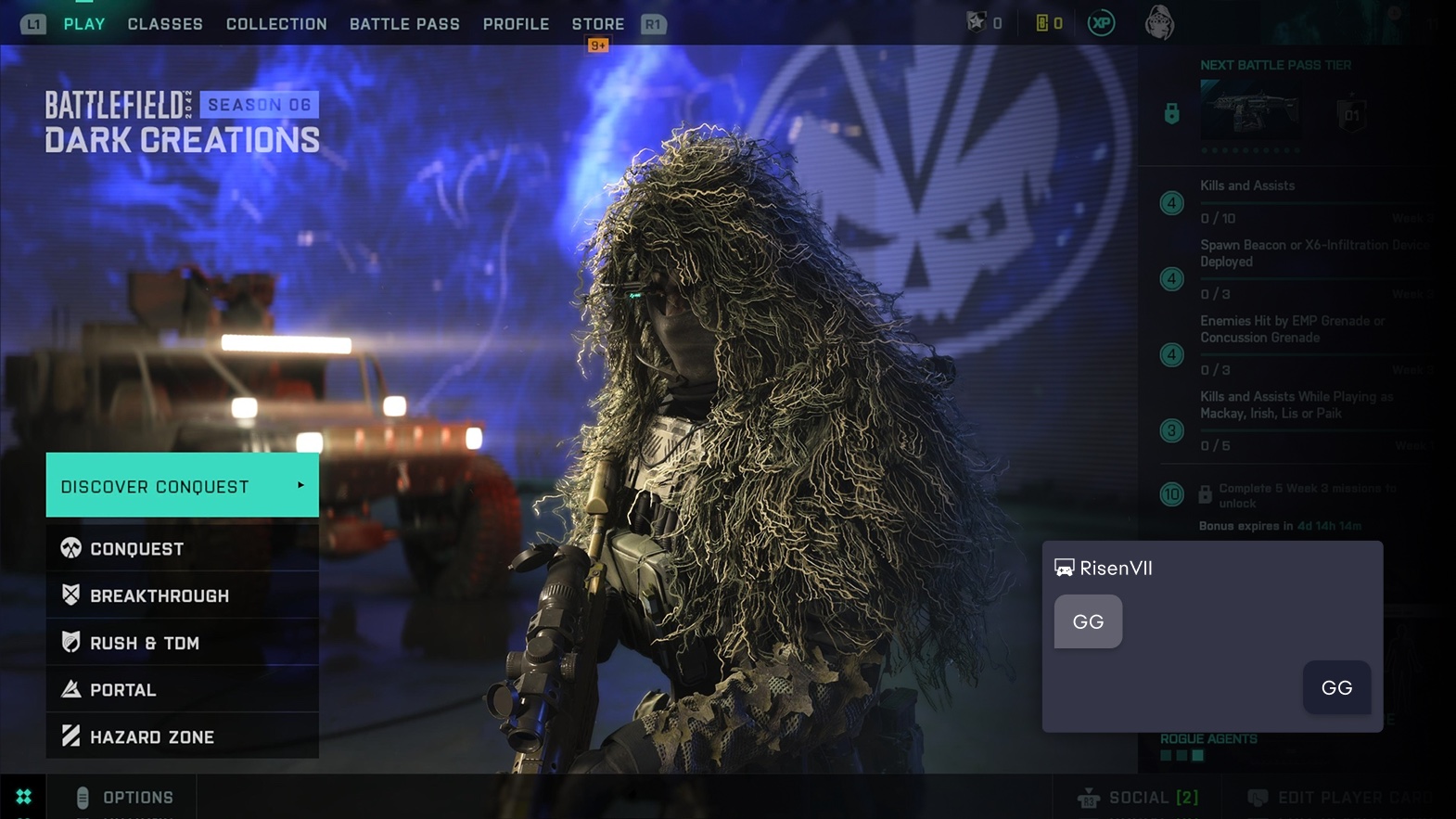
Three decisions shaped it:
-
Presets over typing.
Interviews pointed to short status-style messages (“Be right there”) as the gap between silence and voice chat. Presets also suit a controller, where typing is slow.
-
Testing the selection pattern by genre.
I prototyped a radial wheel and a dropdown and tested both with shooter and sports players. Shooter players preferred the wheel 60/40, citing familiarity from other shooters. Sports players split 50/50, and those who preferred the dropdown said the wheel felt out of place in a sports game and took longer to understand.
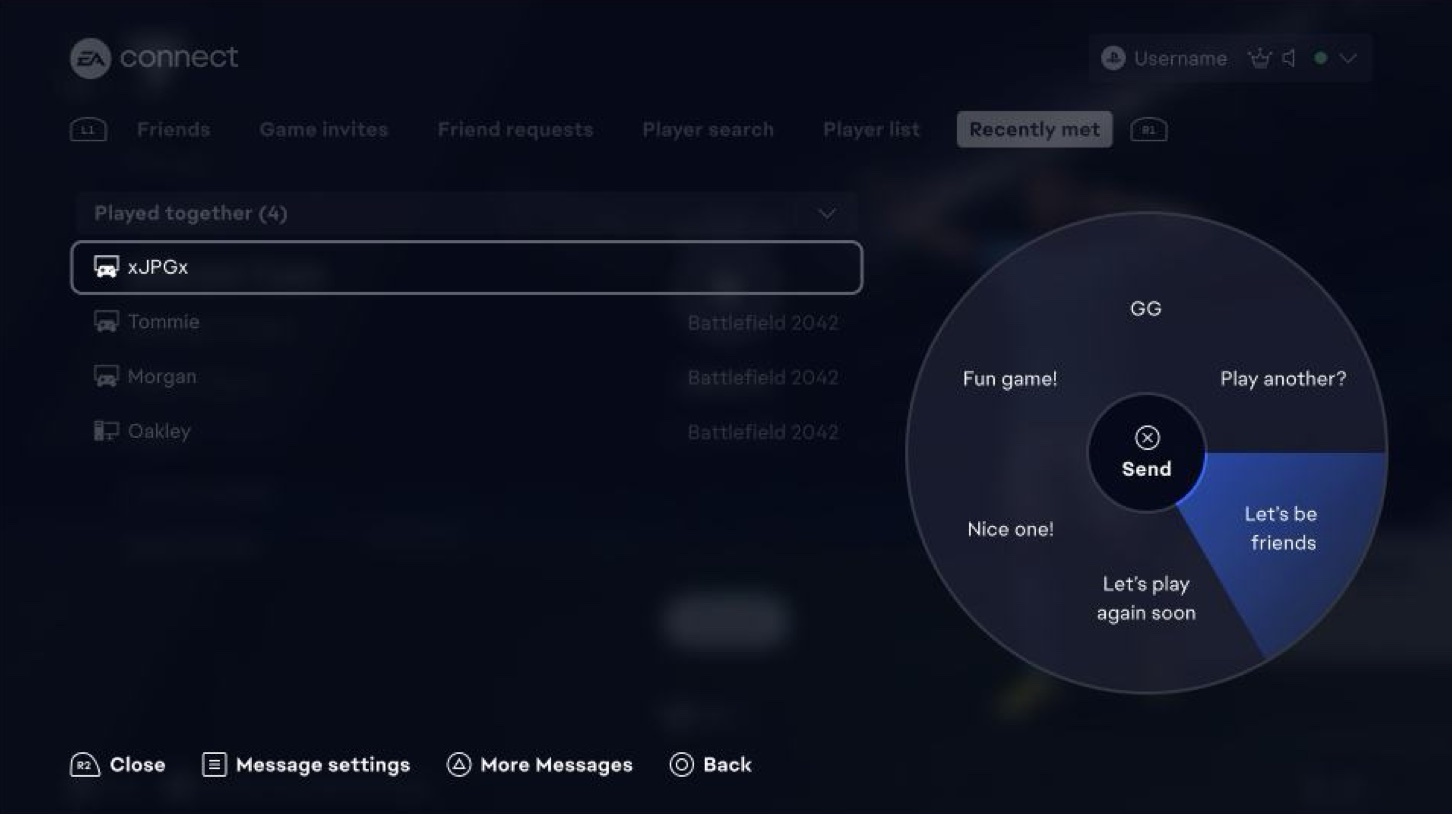
Radial wheel 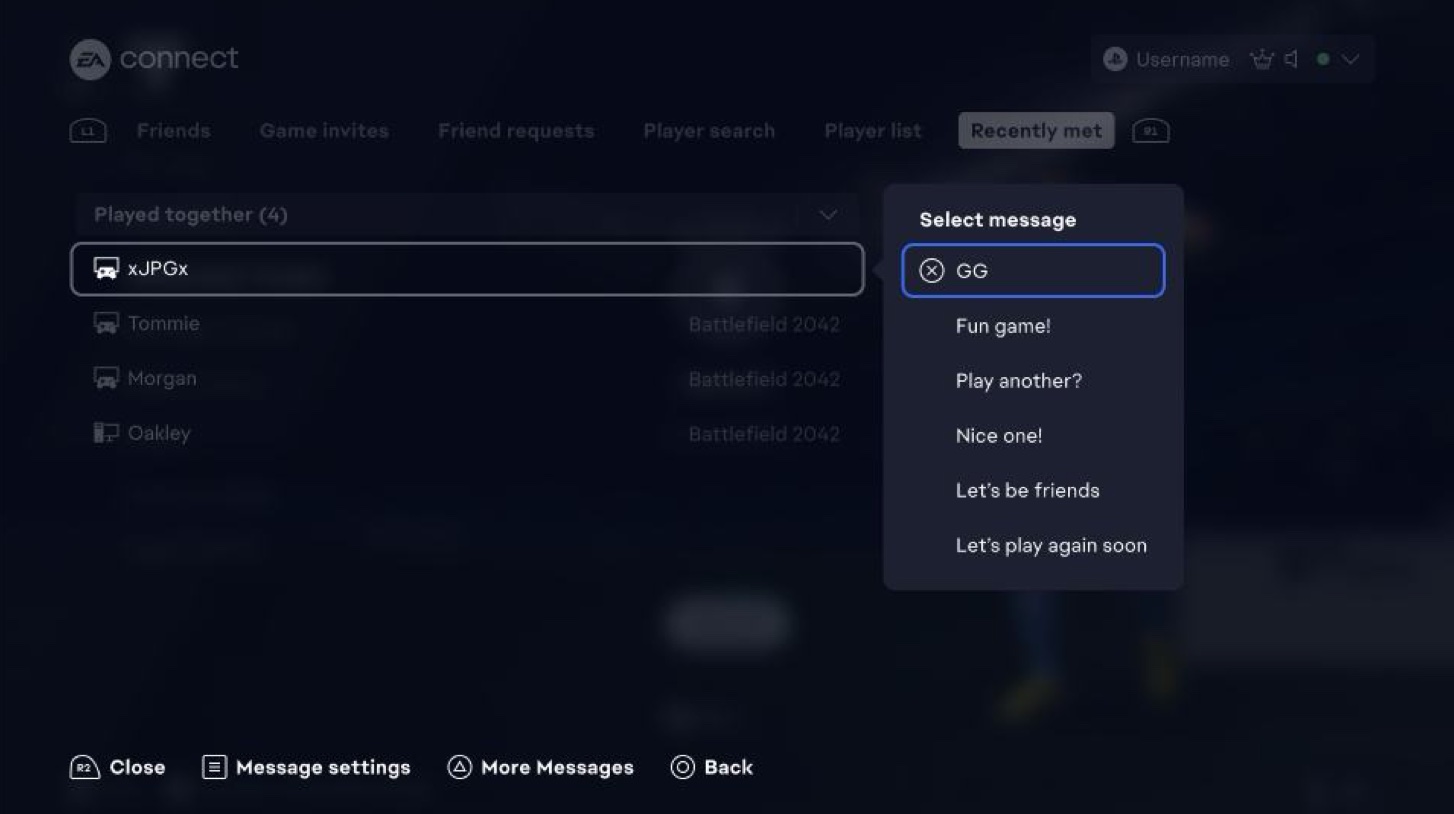
Dropdown list -
A new handoff format.
I replaced long Google Docs specs with annotated design files and embedded prototypes, so engineers could see the exact interactions and animations I intended.
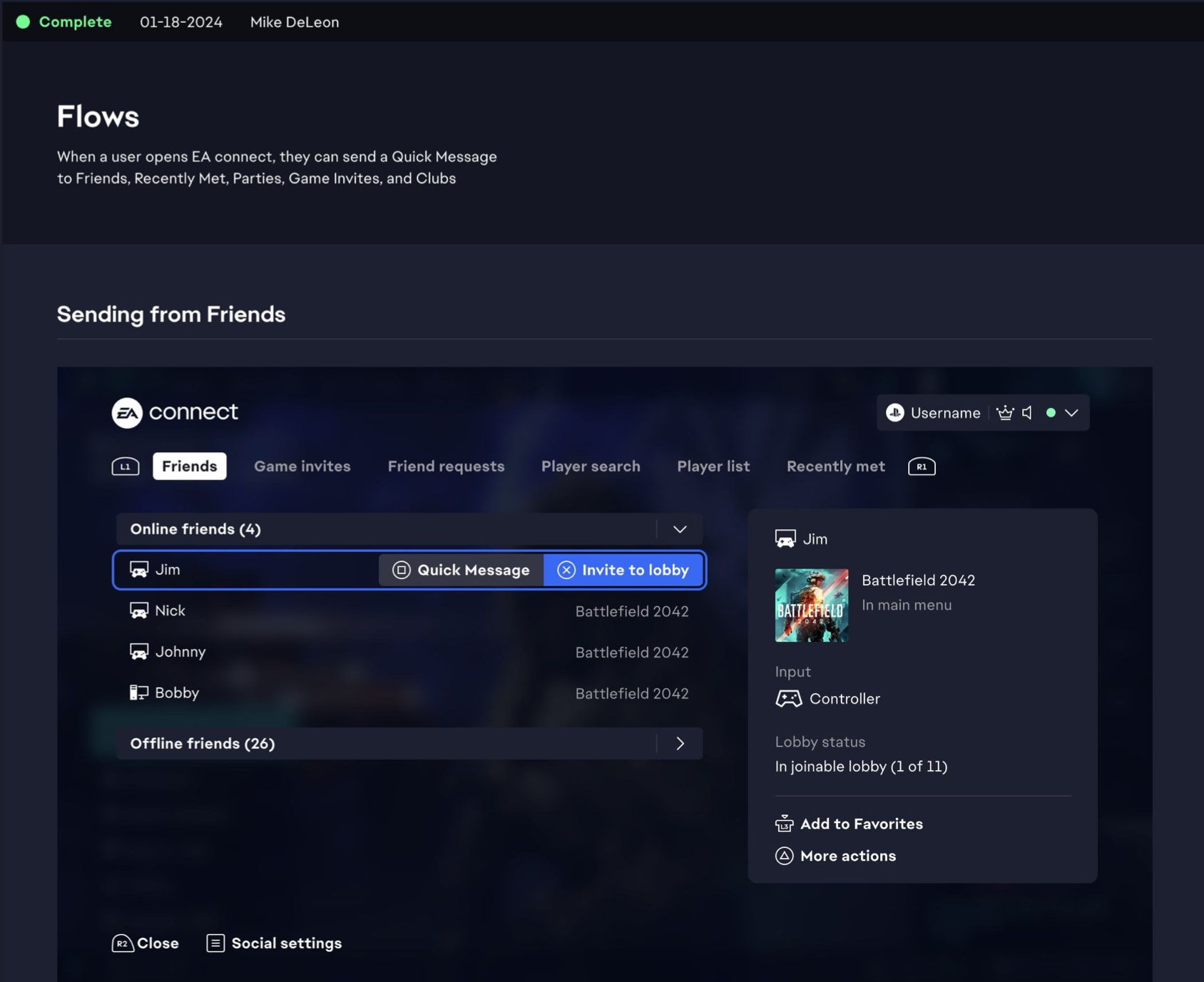
The annotated handoff file, with flows, components and embedded prototypes.
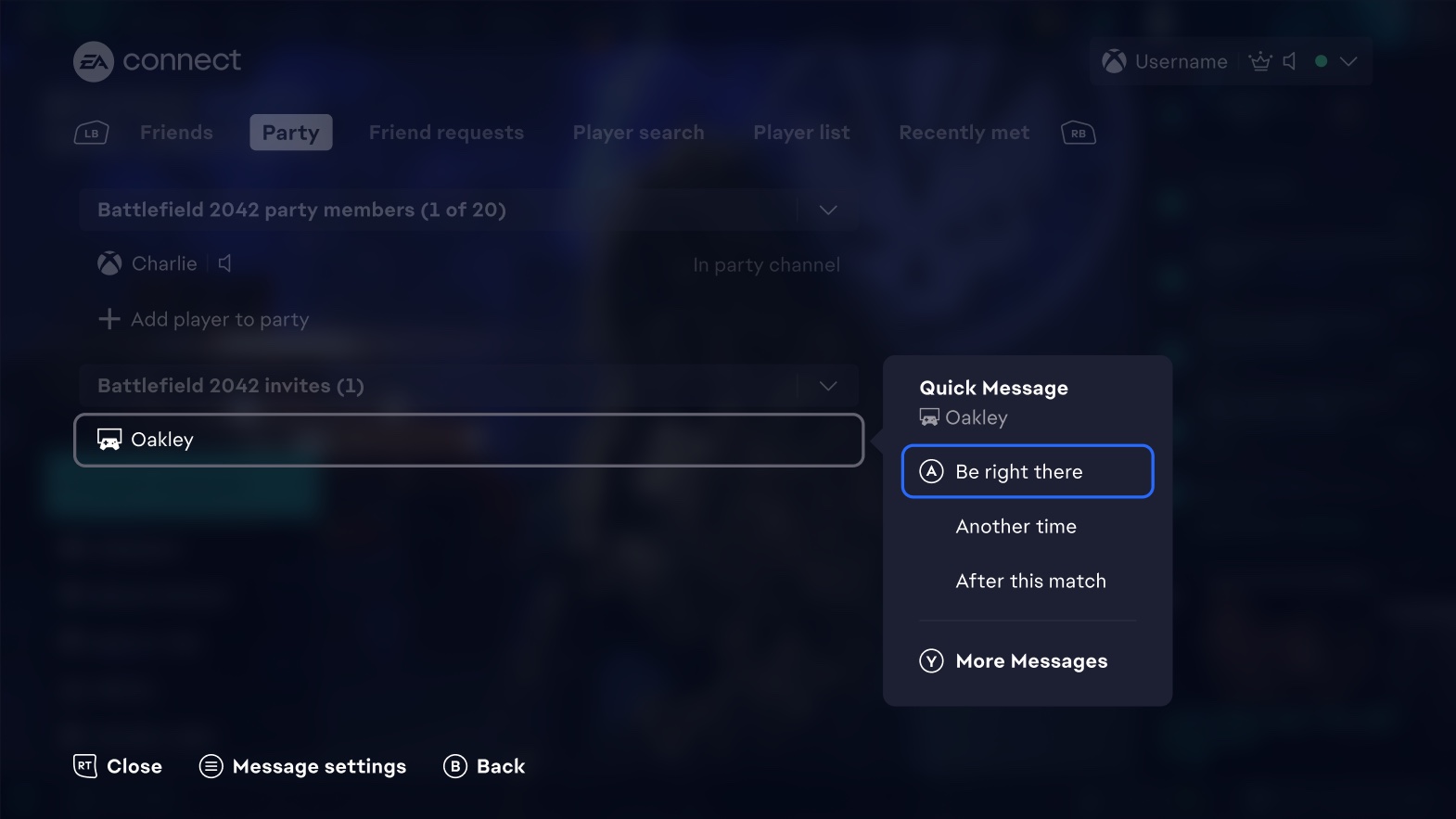
Also shipped
Impact
- 300 million+ messages sent by 25 million+ users.
- Handoff time roughly halved. Estimated handoff on an average feature went from 1 month to 2 weeks.
- The handoff format became the team standard. Every feature since has used it. Engineers said it was easier to navigate, and that embedded prototypes helped them get the execution right.